






An AI-native financial dashboard designed to eliminate the friction of personal expense logging by combining natural language processing, multimodal inputs, and automated spending analytics.
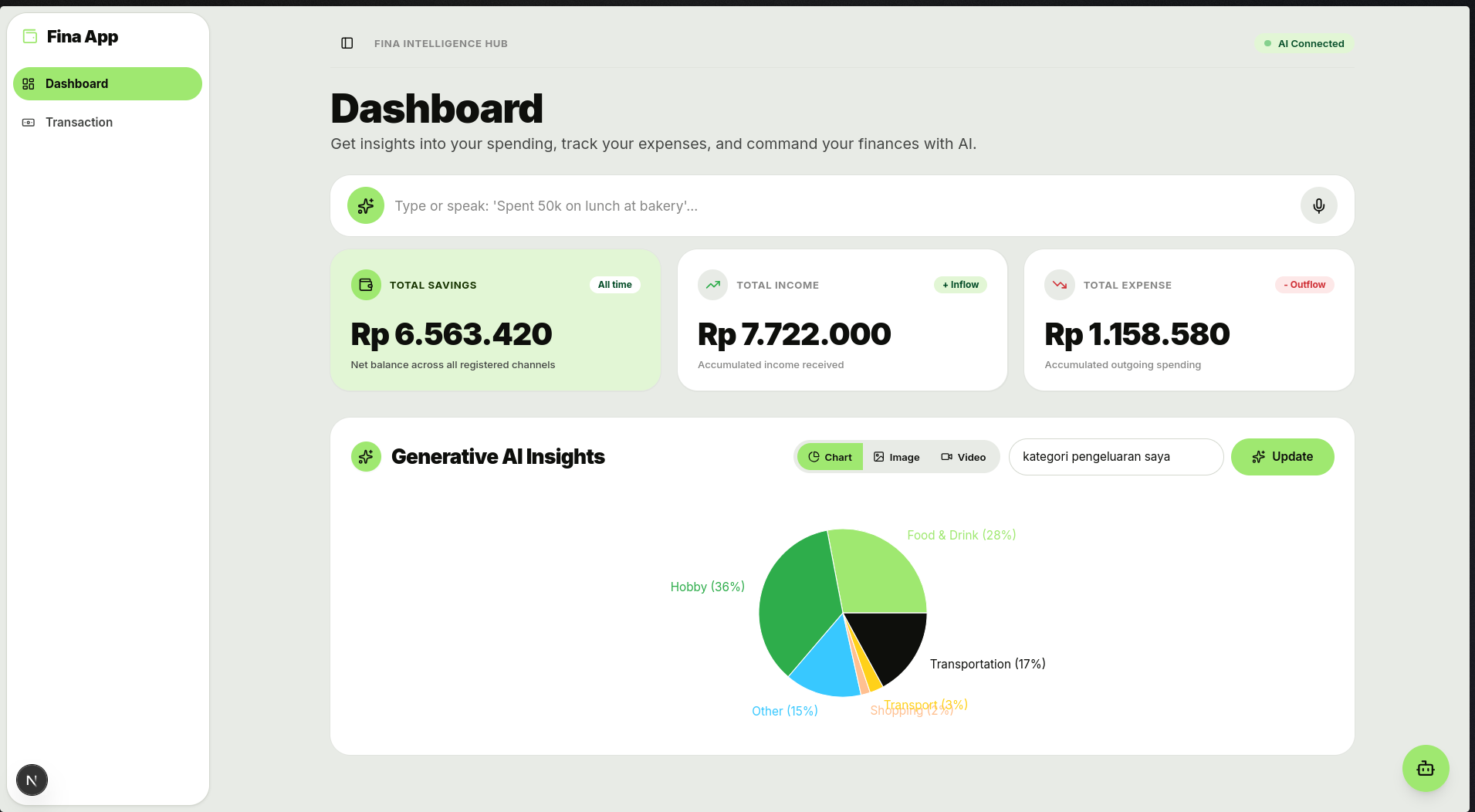
Overview
Traditional personal finance apps often fail because manual transaction entry is tedious and easy to abandon. Fina rethinks financial bookkeeping from first principles by placing generative AI directly at the center of the user workflow. Instead of navigating dropdowns, calendars, and category selectors, users can simply type or speak what they spent (e.g., "Spent 50k on lunch at bakery"), and the system extracts, classifies, and commits the transaction into the database in real time.
Built as an applied AI exploration following the WPU AI Apps course, Fina goes beyond simple prompt-wrapper interfaces to integrate true tool-calling, multimodal processing, and agentic workflows into a full-stack Next.js application.
Key Features
1. Conversational & Multimodal Expense Logging
- Natural Language Parsing: Users log income and expenses through conversational text or voice notes.
- Gemini Function Calling: Automatically maps unstructured input strings into structured parameters (amount, category, merchant, timestamps).
- Multimodal Ingestion: Handles receipt and visual inputs alongside text prompts for automated expense extraction.
2. Generative AI Insights & Visualizations
- On-Demand Intelligence Hub: Users query their financial patterns in plain Indonesian or English (e.g., "kategori pengeluaran saya bulan ini").
- Automated Chart Generation: Leverages Recharts and LLM schema validation to dynamically render categorical distribution pie charts, trend lines, and cashflow comparisons.
- Financial Advisory: Delivers personalized advice to help identify spending leaks and budget overruns.
3. Agentic Financial Wizard
- Guided Budgeting: A step-by-step interactive agent that assists users in structuring financial goals and monthly limits.
- Autonomous Tool Execution: Executes multi-step queries against Supabase without requiring manual database navigation.
System Architecture
User Input (Voice / Text / Image)
              │
              ▼
   Next.js 16 (React 19) App Router
              │
   ┌──────────┴──────────┐
   ▼                     ▼
Gemini API 2.5       Supabase DB & Auth
(@google/genai)      (PostgreSQL + Migrations)
Function Calling         │
   │                     ▼
   └─────────────► TanStack Query Cache
                         │
                         ▼
             Recharts Dynamic UI & Dashboard
- Frontend & App Engine: Next.js 16 with React 19, utilizing the App Router and server actions for performant data flow.
- AI Core: Official Google GenAI SDK (
@google/genai) configured for Gemini 2.5 Flash, executing custom function declarations to safely mutate user financial state. - Database & Storage: Supabase PostgreSQL with structured migration scripts managing wallets, categories, and transaction ledgers.
- State Management & UI: TanStack Query for reactive client-side caching, Radix UI & Tailwind CSS v4 for clean, accessible interfaces.
Tech Stack
- Framework: Next.js 16, React 19 (App Router)
- AI Engine: Google Gemini API (
@google/genai), Function Calling, Multimodal - Database: Supabase (PostgreSQL)
- Data Fetching: TanStack Query (React Query)
- Forms & Validation: React Hook Form, Zod
- Styling & UI: Tailwind CSS v4, Shadcn UI, Lucide Icons
- Data Visualization: Recharts